Let's play hide & seek
Description
Write Up: Tyron
Créateur: David Morgan (r0m)
Difficulté: medium
Points: 402
Format du flag: PCTF{flag}
Enoncé
- Français: Il n'y a pas beaucoup d'histoire ici... il y a un drapeau intégré quelque part, votre tâche est de le trouver.
- English: Not much of a backstory here... there is an embedded flag in here somewhere, your job is to find it.
Pièce(s) jointe(s):
Solution détaillée
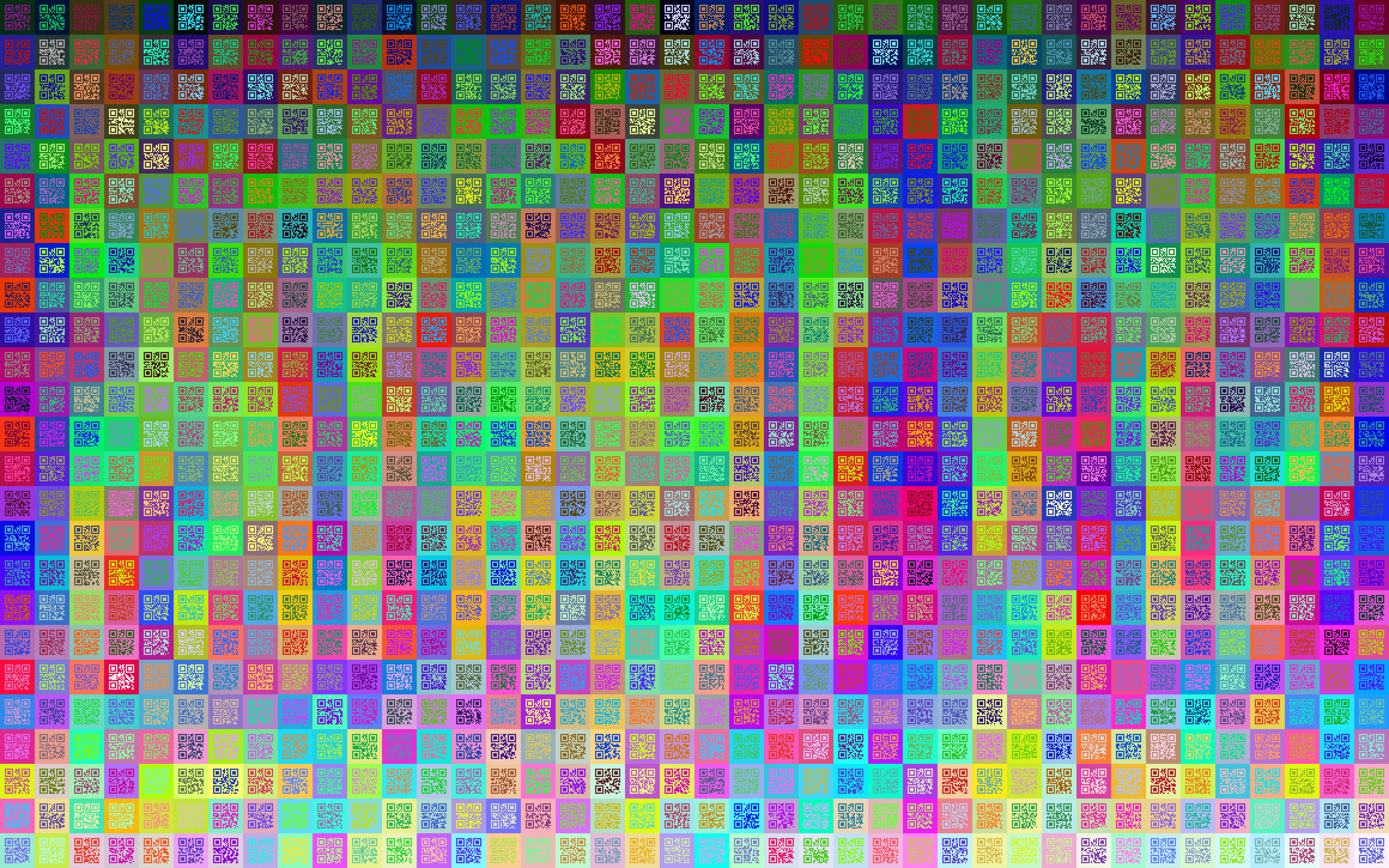
Comme le titre l'annonce, c'est un challenge de stéganographie utilisant steghide et stegseek qui sont des outils permettant de cacher et d'extraire des messages dans des images dont des fichiers bmp.
Alors je lance un steghide sur le fichier et j'obtiens une autre image. steghide --extract -sf qr_mosaic.bmp et j'obtiens une autre image patriotCTF.bmp:

J'essaie steghide une fois de plus sur ce fichier mais erreur, mot de passe incorrect !
$ steghide --extract -sf patriotCTF.bmp
Entrez la passphrase:
steghide: impossible d'extraire des données avec cette passphrase!
stegseek qui permet de bruteforce les mots de passes grace à une liste de mot de passe prédéfinis.
Bien sur je n'essaie pas les listes communes comme rockyou.txt sinon le challenge n'aurait pas de sens.
Comme je sais que souvent en CTF il ne faut pas aller chercher trop loin, je me rappelle que le fichier qr_mosaic.bmp contient plein de QR codes lisibles.
J'ai tenté de lire un QR code, ca retourne une chaine de caractère lisible mais qui ne veut rien dire. Surement un mot de passe.
Donc j'ai immédiatement pensé à extraire tous les qr codes, les lire, en faire une liste et bruteforcer l'image avec cette dernière.
J'avais pas le temps de développer mon propre outil pour lire donc j'en ai cherché en ligne.
Aucun d'eux n'a pu fonctionner sur toute l'image notamment celui-ci, et celui-là.
Alors j'ai eu l'idée de découper l'image en plein de qrcodes séparés.
Avec l'outil image_slicer c'est très simple.
Fin de la solution par exemple.
FLAG: CTF{flag} (ne pas vraiment donner le flag pour pas spoil)
slice-image qr_mosaic.bmp -r 25 -c 40 -d slices (25 est le nombre de QR codes par lignes et 40 le nombre de QR codes par colonne)
J'ai testé avec un seul qr code, ca n'a pas marché.
J'ai mis l'image en noir, et ca marche mieux.
Voici le script :
from qreader import QReader

import cv2
import sys

path = sys.argv[1]

# Create a QReader instance
qreader = QReader()

# Get the image that contains the QR code
image = cv2.cvtColor(cv2.imread(path), cv2.COLOR_BGR2RGB)

# Use the detect_and_decode function to get the decoded QR data
decoded_text = qreader.detect_and_decode(image=image)

print(decoded_text)
J'ai utilisé la bibliothèque qreader qui utilise l'IA pour lire les qr. Cependant, les qr trop illisbles après application du ton noir et blanc restent, illisbles pour l'outil...
Voilà le script final:
from qreader import QReader
from tqdm import tqdm

import os
import cv2
import sys


try:
path = sys.argv[1]
except:
print("usage : extract_passowrds.py <dir>")
sys.exit(0)

qr_list = os.listdir(path)
print(qr_list)

total_qr = len(qr_list)
qr_count = 0
failed_qrs = []

wordlist = []

# Create a QReader instance
qreader = QReader()

for qr in tqdm(qr_list):
    # Get the image that contains the QR code
    image = cv2.cvtColor(cv2.imread(path+qr), cv2.COLOR_BGR2RGB)

    # Use the detect_and_decode function to get the decoded QR data
    decoded_text = qreader.detect_and_decode(image=image)
    #print(f"[+] Decoded qrcode : {decoded_text} from {qr}")

    if not decoded_text:
        failed_qrs.append(qr)
        print(f"failed :{qr} ")
    else:
        wordlist+= decoded_text
        qr_count += 0

print(f"Decoded {qr_count} QR out of total_qr")


with open("failed.txt", "w") as f:
    for text in failed_qrs:
        f.write(text+"\n")

print(f"Failed {len(failed_qrs)} qrcodes : {failed_qrs} writtent to failed.txt")

print(f"passwords have been written in wordlist.txt")
extract_passowrds.py slices
Avec ca j'arrive à récupérer 900 QR sur 1000. (pas mal)
Ensuite je bruteforce patriotCTF.bmp avec ma wordlist :
$ stegseek --crack patriotCTF.bmp --wordlist wordlist.txt

StegSeek 0.6 - https://github.com/RickdeJager/StegSeek

[i] Found passphrase: "hD72ifj7tE83n"
[i] Original filename: "flag_qr_code.bmp".
[i] Extracting to "patriotCTF.bmp.out".
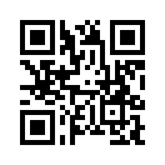
Je scan le qrcode sur l'image obtenue : PCTF{QR_M0s41c_St3...}
<<<<<<< HEAD
 =======
bb2e493a53c57707838f5ac97942d5e1a65356ec
There are another scripts from acters in the CTF discord server that read every QR codes using machine learning :O (this guy is cracked)
import os
import sys
import platform
import numpy as np
from sklearn.cluster import KMeans
from PIL import Image
from pyzbar.pyzbar import decode
import subprocess
import re

# Define the initial image
initial_image = 'qr_mosaic.bmp'

# Open the initial image
image = Image.open(initial_image)
width, height = image.size

# Define the tile size
tile_width = 58
tile_height = 58

# Compute the number of tiles in x and y direction
num_cols = width // tile_width
num_rows = height // tile_height

# Dictionary to store tiles with filename as key
tiles = {}

# Loop over the image and store tiles in memory
for row in range(num_rows):
    for col in range(num_cols):
        left = col * tile_width
        upper = row * tile_height
        right = left + tile_width
        lower = upper + tile_height
        box = (left, upper, right, lower)
        tile = image.crop(box)
        tile_filename = f'row-{row}_column-{col}.bmp'
        tiles[tile_filename] = tile

# Function to extract row and column numbers from filename
def extract_row_col(filename):
    # filename format: 'row-X_column-Y.bmp'
    # Extract numbers after 'row-' and 'column-' in filename
    match = re.search(r'row-(\d+)_column-(\d+)', filename)
    if match:
        row = int(match.group(1))
        col = int(match.group(2))
        return row, col
    else:
        # If no match, return None
        return None, None

# List to store decoded data along with row and column numbers
decoded_list = []

# Process each tile in memory
for filename, img in tiles.items():
    img = img.convert('RGB')  # Ensure image is in RGB format

    # Convert image to numpy array
    img_array = np.array(img)
    h, w, c = img_array.shape  # Get dimensions

    # Reshape array to (number of pixels, 3)
    pixels = img_array.reshape(-1, 3)

    # Apply KMeans clustering with 2 clusters (foreground and background)
    kmeans = KMeans(n_clusters=2, random_state=0).fit(pixels)
    labels = kmeans.labels_
    centers = kmeans.cluster_centers_

    # Compute the intensity of each cluster center
    intensities = np.sum(centers, axis=1)

    # Determine which cluster is the QR code (darker cluster)
    qr_cluster = np.argmin(intensities)

    # Create a binary (black and white) image
    bw_pixels = np.where(labels == qr_cluster, 0, 255).astype('uint8')
    bw_image_array = bw_pixels.reshape(h, w)

    # Ensure background is white and QR code is black
    # Check if the background is black and invert if necessary
    background_pixel_value = bw_image_array[0, 0]
    if background_pixel_value == 0:
        # Invert the image so that background is white
        bw_image_array = 255 - bw_image_array

    # Convert array back to image
    bw_image = Image.fromarray(bw_image_array, mode='L')

    # Decode the QR code from the processed image
    decoded_data = decode(bw_image)
    if decoded_data:
        data = decoded_data[0].data.decode('utf-8')
    else:
        data = "Unable to decode QR code"

    decoded_list.append(data)

# Write the sorted decoded QR codes to the text file
with open('decoded_qr_codes.txt', 'w') as f:
    for data in decoded_list:
        f.write(f"{data}\n")

# Write shell script to run
with open("unpack_hidden_file.sh", "w") as f:
    f.write(f"""#!/usr/bin/env bash

# Check if steghide exists
if ! command -v steghide &> /dev/null; then
    echo "Error: steghide is not installed."
    exit 1
fi

# Check if stegseek exists
if ! command -v stegseek &> /dev/null; then
    echo "Error: stegseek is not installed."
    exit 1
fi

steghide --extract -sf {initial_image} -p '' -f -q
stegseek --crack ./patriotCTF.bmp ./decoded_qr_codes.txt ./flag_qr_code.bmp -f -q -s
""")

# Check if the OS is Linux
if platform.system() == 'Linux':
    # Make the shell script executable
    os.chmod("unpack_hidden_file.sh", 0o755)

    # Run the shell script without checking exit code
    subprocess.call("./unpack_hidden_file.sh", shell=True)

    # Check if flag_qr_code.bmp exists
    if os.path.exists("flag_qr_code.bmp"):
        # Load the image and decode the QR code
        img = Image.open("flag_qr_code.bmp")
        decoded_data = decode(img)
        if decoded_data:
            data = decoded_data[0].data.decode('utf-8')
            print(f"Decoded QR code data: {data}")
            # Write the data to a file
            with open("decoded_flag.txt", "w") as f:
                f.write(data)
        else:
            print("Unable to decode the QR code in flag_qr_code.bmp")
    else:
        print("Error: flag_qr_code.bmp does not exist. Please check if unpack_hidden_file.sh is able to run correctly.")
else:
    print("Error: This shell script is only compatible with Linux. You are on your own.")
Retex
Finalement l'IA c'est pas que pour le marketing :D
Lien(s) utile(s)
- https://github.com/samdobson/image_slicer
- https://note.nkmk.me/en/python-opencv-qrcode/
- https://ctfshellclub.github.io/2019/05/13/ecsc-qrcode/
- https://pypi.org/project/qreader/